
Compositing
domotion composite <config.json> stacks layers — each a cast, a
template, or a pre-rendered svg, any of which may be animated — into one
self-contained animated SVG, each placed and on its own timeline with its
animation preserved.
This is how you nest one animated thing inside another: a terminal window resizing on a desktop, a scrolling site inside a browser bezel.
domotion composite ./desktop-terminal.json -o desktop.svgA real config
Section titled “A real config”This is the exact config behind the desktop-terminal demo on the
showcase. A static desktop svg layer, with an animated
terminal cast layer wrapped in window chrome placed on top — the window
rises and fades in, then the recorded build session plays:
{ "width": 1100, "height": 720, "background": "#000", "duration": 13600, "layers": [ { "svg": "desktop.svg", "x": 0, "y": 0, "width": 1100, "height": 720 }, { "cast": "../term/sample.cast", "term": { "mode": "incremental", "theme": "dark" }, "chrome": { "device": "window", "label": "build — widget", "theme": "dark" }, "x": 222, "y": 170, "animations": [ { "property": "translateY", "from": 24, "to": 0, "start": 0, "duration": 500, "easing": "ease-out" }, { "property": "opacity", "from": 0, "to": 1, "start": 0, "duration": 500, "easing": "ease-out" } ] } ]}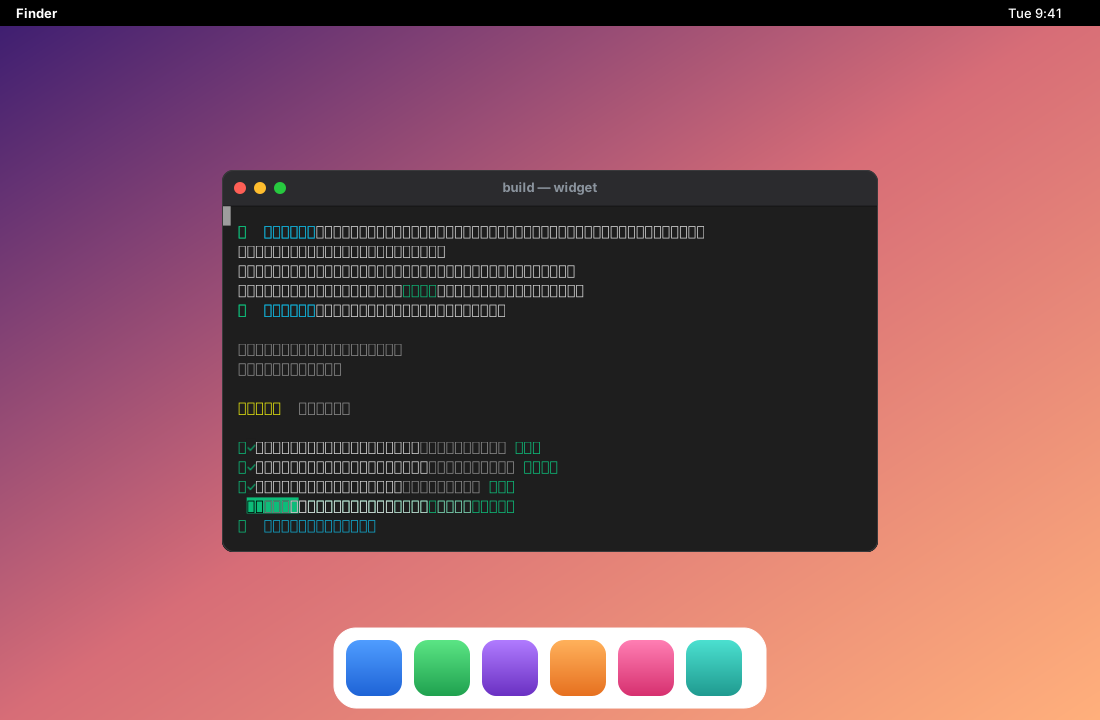
Paths inside a config (svg, cast) resolve relative to the config file’s own
directory. The output path comes from -o, else the config’s output key, else
stdout.
Per layer
Section titled “Per layer”- one source —
svg,cast, ortemplate(withparams/termoptions) - placement —
x/y/width/height/clip/clipRadius - a timeline —
start,mode(hold/stretch/loop),duration - device
chrome—{ device: phone|browser|window, label, theme } animations—scale/translateX/translateY/opacity/transform, plusclipScaleX/clipScaleYto resize a layer’s box so its content reflows
The programmatic equivalent is composeAnimatedLayers(layers, opts). Run
domotion composite --help and see examples/composite/ in the repo.